Best Websites to Learn Coding for Free in 2026 (And How to Get Your First Developer Job)
W3Schools — Should You Actually Learn From It?
If you’ve ever searched something like:
“How do I center a div?”
“JavaScript array methods”
“CSS Flexbox syntax”
…there’s a very good chance https://www.reddit.com/r/learnprogramming/
was one of the first results.
That isn’t a coincidence.
Millions of developers—from complete beginners to professionals with years of experience—still use it almost every day.
But here’s the question most beginners ask…
Is W3Schools actually a good place to learn coding?
The answer is yes… but only if you use it for the right purpose.
What W3Schools Does Really Well
Imagine you’re building a website and suddenly forget how to create a CSS Grid layout.
Instead of watching a 30-minute YouTube video, you open W3Schools.
Within seconds you get:
✔ A short explanation
✔ The correct syntax
✔ A live code editor
✔ An example you can modify instantly
That’s exactly why developers love it.
The “Try It Yourself” editor is still one of the easiest ways to experiment with code without installing anything on your computer.
Quick Challenge: Change a value inside the example code and see what happens. Breaking code is one of the fastest ways to learn how it actually works.
Where Most Beginners Make a Mistake
Here’s where many new programmers get stuck…
They try to learn everything from W3Schools.
Unfortunately, that’s not what it was designed for.
Think of it like this:
📖 A dictionary teaches you what words mean.
📚 A teacher shows you how to use those words to write a story.
W3Schools is the dictionary.
It explains individual topics extremely well.
But it rarely teaches you how to combine those topics into a complete application.
So if you’re starting from zero, you’ll probably reach a point where you know dozens of HTML tags but still don’t know how to build an actual website.
Is W3Schools Really Free?
Yes.
The good news is that almost everything people visit W3Schools for is completely free.
That includes:
- HTML tutorials
- CSS tutorials
- JavaScript lessons
- Python references
- SQL examples
- The Try It Yourself editor
- All documentation pages
You don’t even need an account to start learning.
What About Their Certificates?
This surprises many people.
W3Schools now offers paid certification exams covering technologies like:
- HTML
- CSS
- JavaScript
- Python
- SQL
- PHP
- C#
- and several others.
These certificates usually cost around $95 each.
Are They Worth Buying?
For most beginners…
Probably not.
A recruiter is usually far more interested in seeing:
✅ A live website you built
✅ A clean GitHub profile
✅ Two or three impressive personal projects
than a certificate saying you passed an online exam.
Certificates can help in a few entry-level situations, but once you have real projects, your portfolio becomes much more valuable.
Money-Saving Tip: Spend those $95 on a custom domain name, better internet, or learning resources instead. They’ll usually give you a much better return.
The Best Way to Use W3Schools
Instead of making it your classroom…
…make it your reference library.
Here’s a combination that works incredibly well:
| Main Learning | Quick Reference |
|---|---|
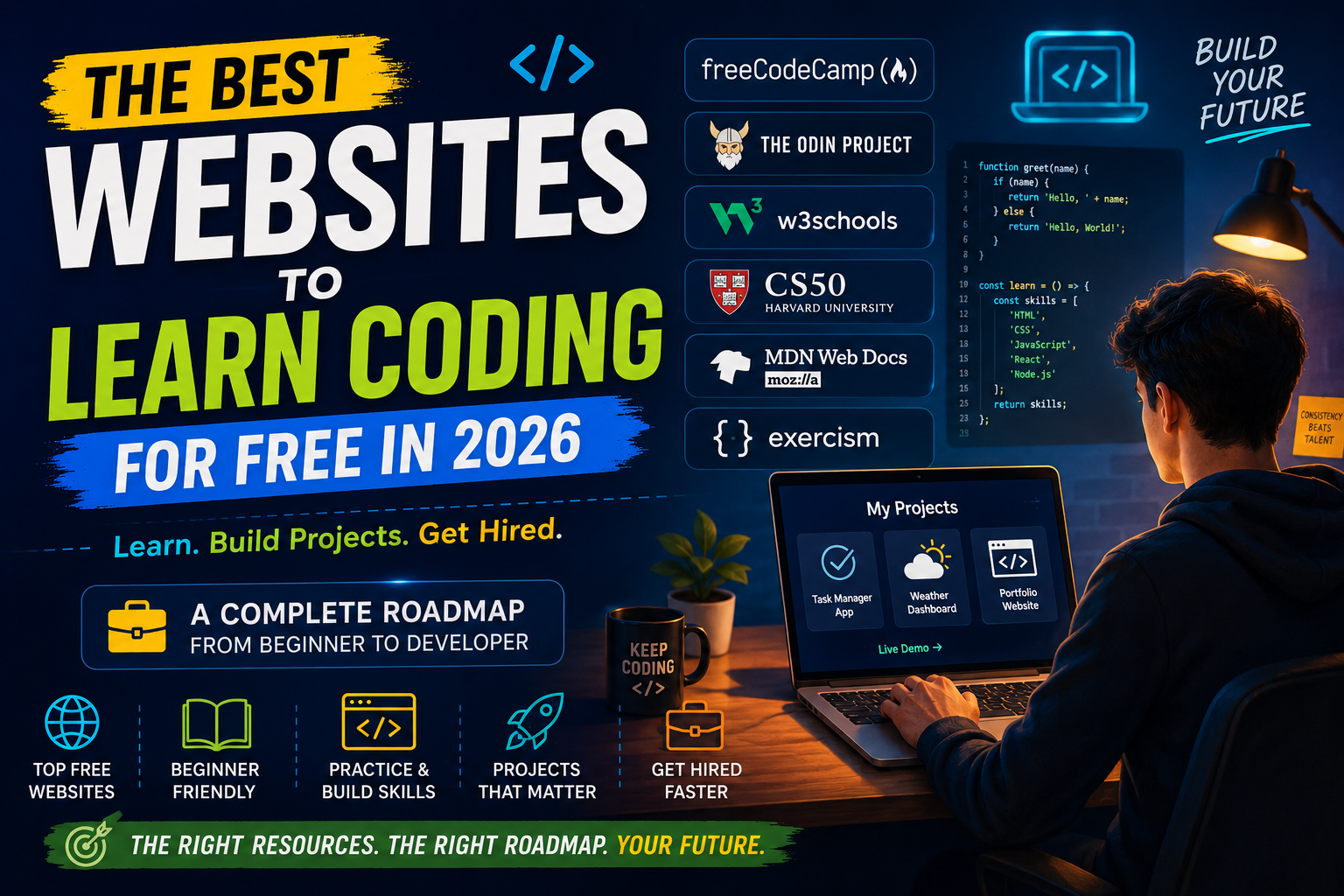
| freeCodeCamp | W3Schools |
| The Odin Project | W3Schools |
| Harvard CS50 | W3Schools |
Study from a structured curriculum…
Then whenever you forget syntax, jump over to W3Schools.
That’s exactly how many professional developers still use it today Study from a structured curriculum… Then whenever you forget syntax, jump over to W3Schools. That’s exactly how many professional developers still use it today. If you haven’t picked your main learning path yet, I compared free Code Camp, The Odin Project, and CS50 in more detail in a separate guide.
.
From Free Learning to Getting Hired
This is where most “Learn Coding for Free” articles suddenly end.
They tell you how to learn…
…but never explain how learning actually turns into income.
Let’s fix that.
Stop Collecting Courses
Here’s one of the biggest traps beginners fall into.
They finish one course…
Then another…
Then another…
Six months later they’ve completed 12 tutorials but haven’t built a single project.
Sound familiar?
Watching tutorials feels productive.
Building projects actually makes you a developer.
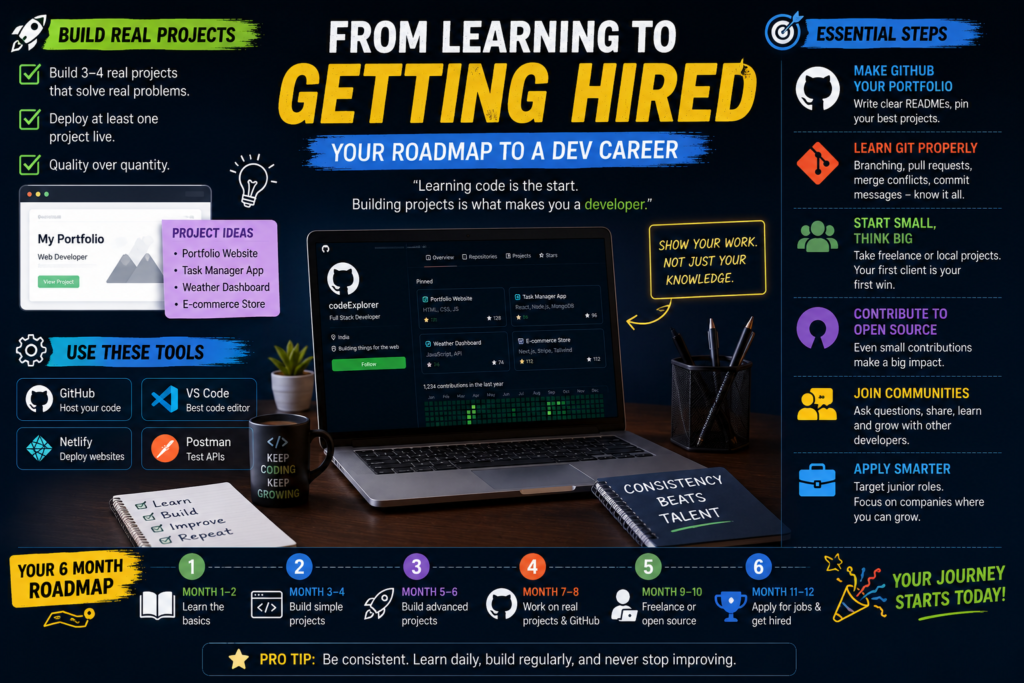
Months 4–6: Build Real Projects
Instead of copying another instructor…
Build something you’d actually use yourself.
Ideas include:
- 💰 Personal Budget Tracker
- 🏋️ Workout Logger
- 🌦 Weather Dashboard
- 📝 Notes App
- 🛒 Small E-commerce Website
- 🍔 Restaurant Landing Page
- 📅 Appointment Booking System
Ask yourself:
“Would I actually show this to an employer?”
If the answer is no…
Keep improving it.
Put Your Projects Online
Don’t make recruiters download ZIP files.
Deploy your projects.
Even a simple live website looks far more professional than screenshots.
When someone clicks your portfolio, they should be able to explore your project immediately.
Your GitHub Profile Is Your Second Resume
Many beginners spend hours polishing their CV…
…and completely ignore GitHub.
Big mistake.
A strong GitHub profile should include:
✔ Clear project descriptions
✔ Screenshots
✔ Installation instructions
✔ Meaningful commit history
✔ Your best 4–6 projects pinned to the top
Recruiters often check GitHub before they even read your resume.
Learn Git Properly
If Git scares you…
You’re not alone.
But don’t stop at:
git add
git commit
git push
Learn:
- Branches
- Pull Requests
- Merge Conflicts
- Good Commit Messages
Almost every software team uses Git every single day.
Knowing it well immediately makes you look more job-ready.
Don’t Wait for Google to Hire You
Your first client probably won’t be Microsoft.
And that’s perfectly okay.
Instead, start smaller.
Look for:
- Local businesses
- Family businesses
- Freelance projects
- Friends who need websites
- Upwork
- Fiverr
Your first paid project won’t be perfect.
Mine wasn’t either.
What matters is this:
Once someone pays you for your work… you’re no longer “just learning.”
You’re building experience.
Contribute to Open Source
Think open source means writing thousands of lines of code?
Not at all.
Your first contribution might simply be:
- Fixing a typo
- Improving documentation
- Updating a README
- Solving a small bug
Small contributions still count.
They show employers you know how to collaborate with other developers.
Don’t Learn Alone
Coding becomes much easier when you have people around you.
Join communities like:
- freeCodeCamp Forum
- The Odin Project Discord
- r/webdev
- r/learnprogramming
- r/cscareerquestions
Ask questions.
Share projects.
Request feedback.
You’ll improve much faster than trying to solve everything alone.
Apply Smarter, Not Harder
When you finally start applying…
Target roles like:
- Junior Developer
- Associate Developer
- Graduate Developer
- Apprentice Developer
- Internship
Applying for Senior Developer jobs with six months of experience only leads to frustration.
Start where you realistically fit.
You’ll gain experience much faster.
How Long Does It Really Take?
Everyone wants the same answer.
“How long until I get my first coding job?”
For most people…
A realistic timeline is 8–14 months of consistent learning, building projects, and applying.
Some people do it faster.
Others take longer.
Both are completely normal.
The developers who eventually succeed usually aren’t the smartest people in the room.
They’re the ones who kept building after everyone else stopped.
⭐ Final Thought
Learning to code for free is no longer the difficult part.
Sticking with it long enough to build real projects is.
Use structured courses to learn.
Use W3Schools as your reference.
Build projects instead of collecting certificates.
Do that consistently, and you’ll be much closer to your first developer job than most people who are still stuck watching tutorials.