Best Free Websites to Learn Coding in 2026
A friend of mine spent Rs. 60,000 on a coding bootcamp last year.
After just five weeks, he quit.
Why?
- ❌ The lessons moved too fast.
- ❌ Nobody explained the basics properly.
- ❌ It felt like falling behind every single day.
Around the same time, I took a different path.
Using only free online resources, I learned enough JavaScript to build and sell my first WordPress plugin—without spending a single rupee.
That experience taught me something important:
Free coding resources in 2026 are better than many expensive bootcamps.
The key is choosing the right ones.
Can You Learn Coding for Free in 2026?
Short answer: Yes.
In fact, there has never been a better time to learn programming without paying.
Here’s what free learning gives you
✅ Complete learning paths
✅ Real-world coding projects
✅ Community support
✅ Recognized certificates (on some platforms)
✅ Job-ready skills
What it doesn’t give you
❌ Personal mentor
❌ Fixed deadlines
❌ Guaranteed job placement
❌ Daily accountability
Reality Check 💡
Free courses aren’t easier.
They simply require more self-discipline.
If you can stay consistent, you can save thousands of dollars.
📘 freeCodeCamp (Best Overall)
⭐⭐⭐⭐⭐ Editor’s Choice
Best For
- Beginners
- Web Development
- Full Stack Development
Why It’s Worth It
✔ 100% Free
✔ No hidden paywall
✔ Free certificates
✔ Project-based learning
✔ Massive developer community
Learning Path
- HTML
- CSS
- JavaScript
- APIs
- React
- Backend
- Full Stack Projects
Things I Like
Instead of watching endless videos…
You’re writing real code almost immediately.
That makes learning much faster.
Keep in Mind
The certificate alone won’t get you hired.
Your GitHub portfolio is what employers actually care about.
⚔ The Odin Project
⭐⭐⭐⭐⭐ Best for Web Developers
Best For
- HTML
- CSS
- JavaScript
- Node.js
- Full Stack Projects
What Makes It Different?
Instead of creating every lesson itself…
The Odin Project combines the best free resources from around the internet into one structured roadmap.
Advantages
✅ Completely free
✅ Active Discord community
✅ Real projects
✅ Open source
Drawbacks
❌ Less beginner hand-holding
❌ Mainly focused on web development
🎓 Harvard CS50
⭐⭐⭐⭐⭐ Best Computer Science Course
Best For
Students who want to understand programming deeply.
Not just build websites.
Topics Covered
- C Programming
- Python
- SQL
- Algorithms
- Data Structures
- Memory Management
- Web Development
Why It’s Special
This is the same introductory Computer Science course taught at Harvard University.
You can audit it completely free.
Difficulty
⭐⭐⭐⭐☆
Expect real problem-solving.
This isn’t a “copy what the instructor types” course.
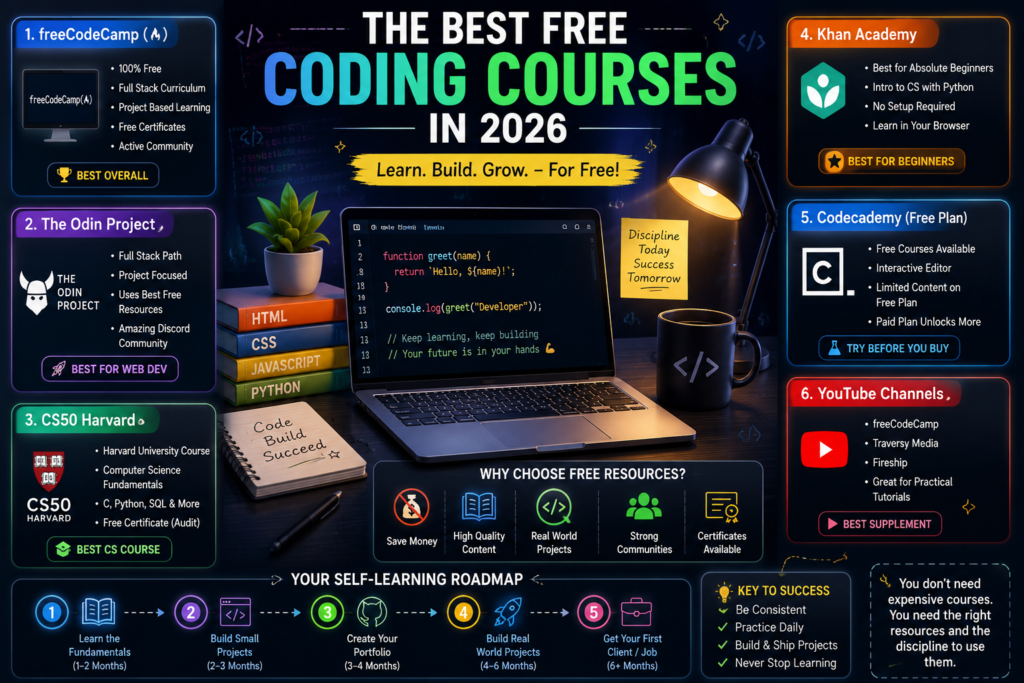
🌱 Khan Academy
⭐⭐⭐⭐☆ Best for Absolute Beginners
If you’ve never written a line of code…
Start here.
Great For
✔ School students
✔ Younger learners
✔ Complete beginners
Why Beginners Love It
- Browser-based coding
- No software installation
- Easy explanations
- Slower pace
Limitation
It won’t make you job-ready on its own.
Think of it as your first stepping stone.
💻 Codecademy Free Plan
⭐⭐⭐☆☆ Good for Trying Before Buying
Free Version Includes
✅ HTML
✅ CSS
✅ Basic Python
Paid Version Unlocks
- Career Paths
- Certificates
- Projects
- Practice Tests
Worth Knowing
The interactive editor is excellent.
But eventually…
You’ll hit the paywall.
📺 Best Free YouTube Channels
If you prefer video learning, these channels are excellent.
⭐ freeCodeCamp
- Full courses
- 10+ hour tutorials
- Modern technologies
⭐ Traversy Media
Perfect for
- Web Development
- JavaScript
- React
- Node.js
⭐ Fireship
Great for
- AI
- Web Development
- Framework overviews
- Quick learning
Important
Use YouTube as a supplement.
Not your entire learning plan.
🛣 Recommended Learning Roadmap
Instead of jumping between ten different courses…
Follow one structured path.
Step 1
Choose ONE
- freeCodeCamp
- Odin Project
- CS50
Step 2
Use YouTube only when stuck.
Step 3
Build one small project every few weeks.
Examples
- Calculator
- To-do App
- Portfolio Website
- Weather App
Step 4
Study consistently.
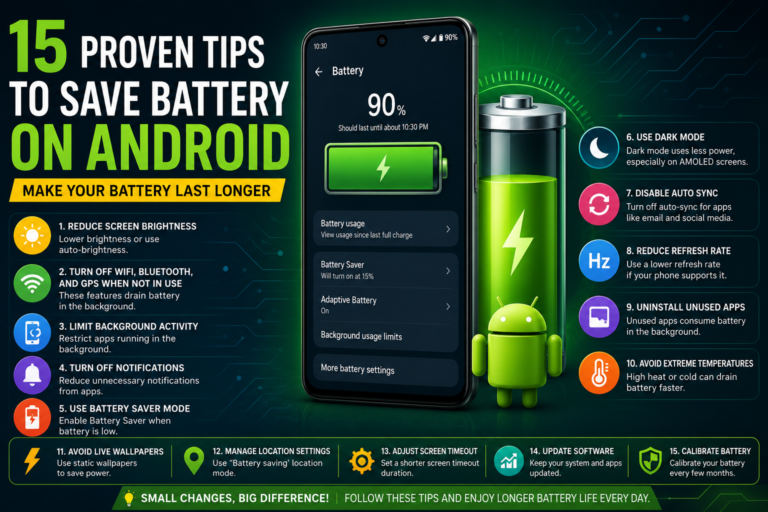
1–2 hours every day beats 10 hours once a week. If you’re coding on a budget Android phone or laptop, keeping your device running smoothly matters too — small slowdowns add up when you’re debugging for hours.
💰 From Learning to Your First Client
Once you’ve built 2–3 original projects…
You’re ready to start looking for freelance work.
Build These First
✅ Portfolio website
✅ GitHub profile
✅ Live deployed project
✅ Clear README files
Best Places to Find Clients
- Freelance platforms
- Local businesses
- Friends & family
- Startup communities
Expect This
Your first project probably won’t pay much. That’s completely normal. Every experienced developer started somewhere — I built and deployed my first client website the same way, starting small before landing bigger projects.
My Recommendations
If I had to start over today…
This is exactly what I’d do.
🥇 freeCodeCamp → Best Overall
🥈 The Odin Project → Best for Web Development
🥉 CS50 → Best Computer Science Course
🏅 Khan Academy → Best for Complete Beginners
🎖 YouTube → Best Supplement
Final Thoughts
You don’t need a ₹60,000 bootcamp to become a developer.
What you need is:
- ✅ A structured roadmap
- ✅ Consistency
- ✅ Real projects
- ✅ A GitHub portfolio
- ✅ Patience
The internet already offers everything you need for free.
The challenge isn’t finding good resources—it’s sticking with them long enough to turn knowledge into real skills.