Best Free AI Tools Every Student Should Use in 2026
A few semesters ago, I thought AI was only useful for answering random questions or generating funny images. Then assignment deadlines started piling up at the same time. I had lecture notes to organize, presentations to prepare, research papers to read, programming bugs to fix, and emails to write.
That’s when I realized AI isn’t about replacing your work—it’s about removing the repetitive parts so you can spend more time actually learning.
The problem is that there are hundreds of AI tools online. Some promise everything but hide useful features behind expensive subscriptions. Others produce inaccurate results or flood you with advertisements.
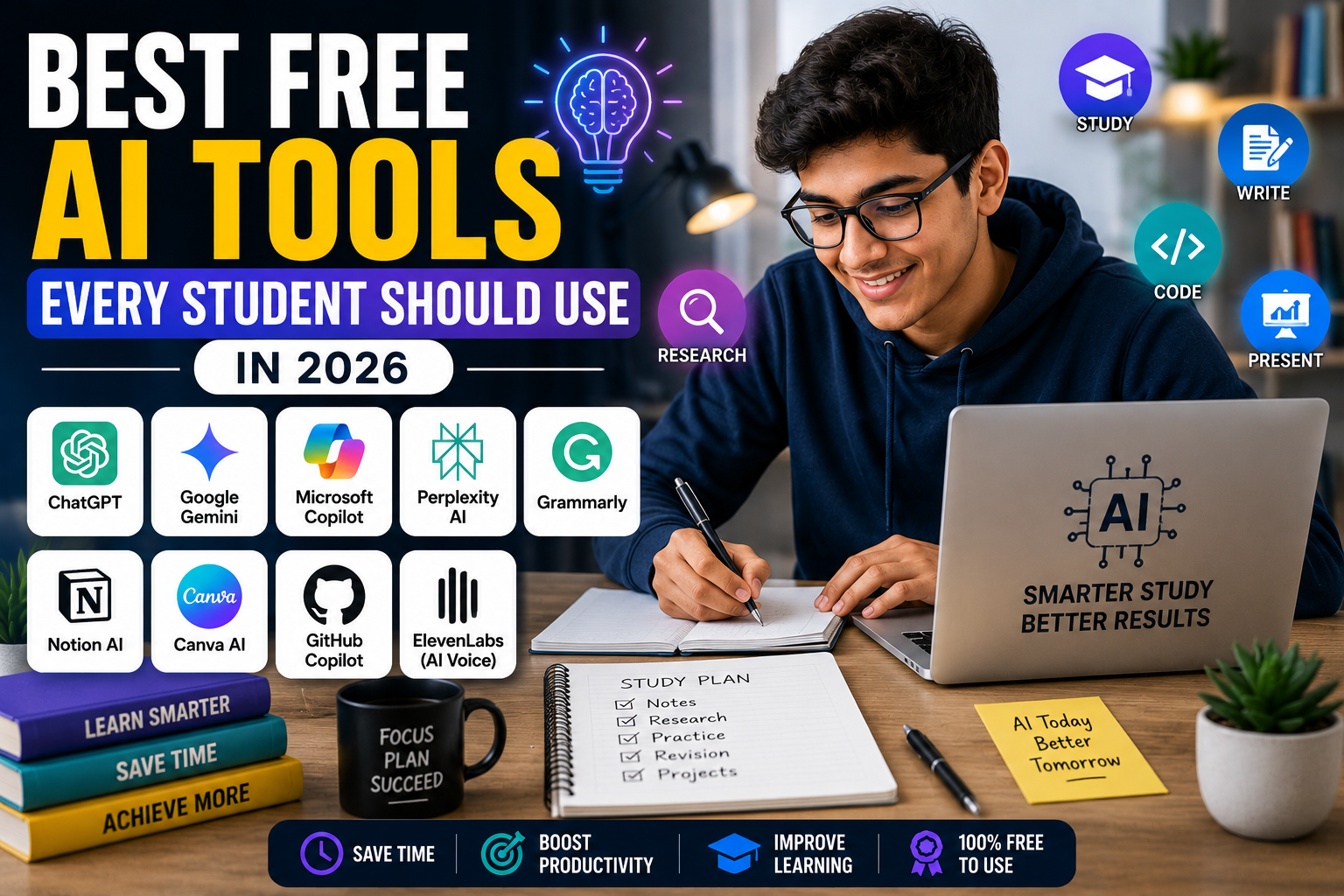
After trying many of them, these are the free AI tools that I believe genuinely help students in 2026.
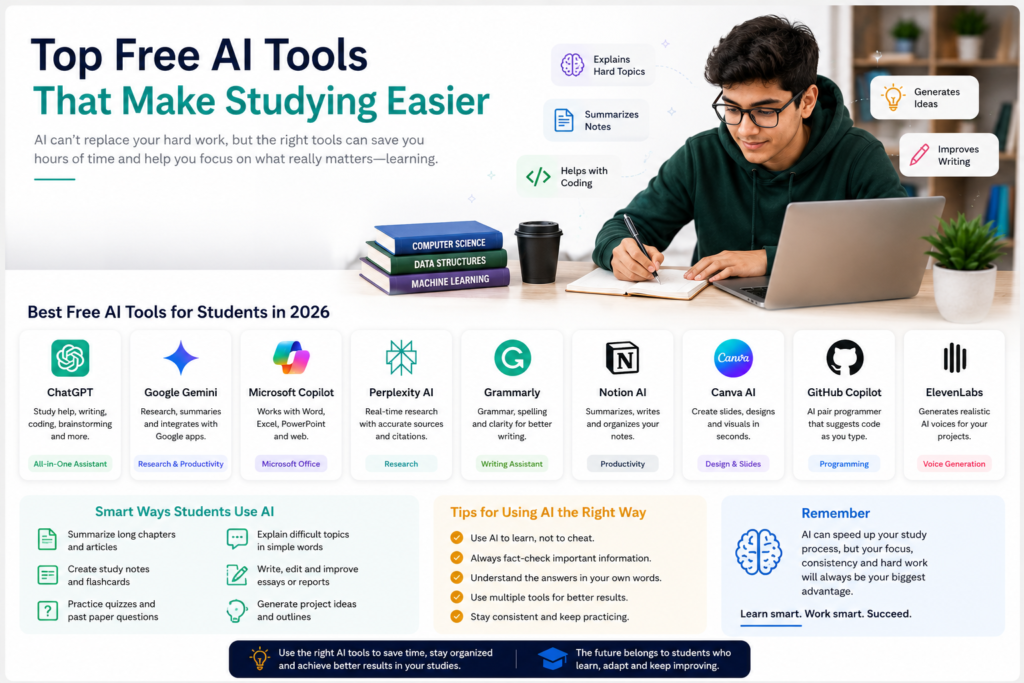
Quick Comparison
| AI Tool | Best For | Free Version | Worth Using? |
|---|---|---|---|
| ChatGPT | Studying, writing, coding | ✅ | ⭐⭐⭐⭐⭐ |
| Google Gemini | Research & Google ecosystem | ✅ | ⭐⭐⭐⭐⭐ |
| Microsoft Copilot | Microsoft Office & web search | ✅ | ⭐⭐⭐⭐☆ |
| Perplexity AI | Research with sources | ✅ | ⭐⭐⭐⭐⭐ |
| Grammarly | Grammar & writing | ✅ | ⭐⭐⭐⭐☆ |
| Notion AI | Notes & organization | Limited | ⭐⭐⭐⭐☆ |
| Canva AI | Presentations & designs | Limited | ⭐⭐⭐⭐☆ |
| GitHub Copilot | Programming | Free for verified students | ⭐⭐⭐⭐⭐ |
| ElevenLabs | Voice generation | Limited | ⭐⭐⭐⭐☆ |
1. ChatGPT
Best for: Studying, brainstorming, coding, writing, explanations
ChatGPT has become one of the most useful study assistants available.
Instead of simply searching for an answer, you can ask it to explain difficult concepts in simpler language, create practice questions, summarize long chapters, generate coding examples, or help you understand mistakes.
Some useful ways students can use ChatGPT include:
- Explaining difficult topics
- Solving programming problems step by step
- Preparing interview questions
- Creating revision notes
- Brainstorming project ideas
- Improving essays
- Learning new programming languages
One important thing to remember is that AI can occasionally make mistakes.
Always verify important facts—especially for research papers, medical topics, legal information, or university assignments.
Best for students studying:
- Computer Science
- Business
- Engineering
- Medicine
- Mathematics
- English
2. Google Gemini
Best for: Research and Google Workspace
If you already use Gmail, Google Docs, or Google Drive, Gemini fits naturally into Google’s ecosystem.
It works well for:
- Research summaries
- Brainstorming
- Email drafting
- Study planning
- Document assistance
- Google Workspace tasks
One advantage is its integration with Google services, making it easier to work across different Google apps.
Use it to understand topics—not to copy assignments.
3. Microsoft Copilot
Best for: Microsoft Word, Excel and PowerPoint
Many students already use Microsoft Office.
Copilot can help:
- Create presentation outlines
- Explain Excel formulas
- Rewrite paragraphs
- Summarize documents
- Generate study notes
It is particularly useful for students preparing reports or presentations.
4. Perplexity AI
Best for: Research with citations
Perplexity AI is different from many chatbots because it usually provides links to the sources used in its responses.
This makes it especially useful when researching:
- Technology
- Science
- Business
- Current events
- Academic topics
Instead of spending an hour opening multiple websites, you can quickly understand a topic and then read the original sources.
Still, always read important references yourself before citing them in academic work.
| Discover more |
|---|
| Best Free Apps for Students in 2026 -> |
| Best Websites to Learn Programming for Free -> |
| W3Schools Review: Is It Good for Learning Programming? -> |
| How to Take Screenshots on Windows -> |
5. Grammarly
Best for: Writing assignments
Grammarly helps improve:
- Grammar
- Spelling
- Punctuation
- Sentence clarity
The free version covers the basics well.
Rather than accepting every suggestion automatically, try understanding why Grammarly recommends a change. Over time, this can improve your own writing skills.
6. Notion AI
Best for: Organizing study material
Notion has become popular among students because it combines:
- Notes
- To-do lists
- Calendars
- Databases
- Project planning
Its AI features can:
- Summarize notes
- Rewrite text
- Generate outlines
- Organize information
Even without AI, Notion remains one of the best productivity tools for students.
7. Canva AI
Best for: Presentations and visual projects
If your university regularly assigns presentations, Canva can save a huge amount of time.
Its AI tools help:
- Generate presentation layouts
- Create graphics
- Remove image backgrounds
- Generate illustrations
- Write presentation text
Remember that design still matters.
Use AI as a starting point, then personalize the presentation so it reflects your own work.
8. GitHub Copilot
Best for: Programming students
If you’re learning:
- C++
- Python
- Java
- JavaScript
- C#
- HTML & CSS
GitHub Copilot can speed up coding by suggesting functions, completing repetitive code, and helping explain unfamiliar code.
Verified students can qualify for free access through GitHub Education.
One warning:
Don’t accept every suggestion without understanding it.
If you can’t explain the generated code yourself, you probably haven’t learned the concept yet.
9. ElevenLabs
Best for: Voiceovers
Students creating:
- Presentations
- Educational videos
- YouTube content
- Accessibility material
can use ElevenLabs to generate natural-sounding voiceovers.
The free plan includes limited usage but is enough for experimenting with the platform.
How AI Can Actually Save Students Time
Instead of replacing learning, AI works best when it removes repetitive tasks.
Examples include:
- Summarizing lecture notes
- Creating flashcards
- Explaining difficult concepts
- Generating practice quizzes
- Correcting grammar
- Brainstorming ideas
- Debugging code
- Organizing study schedules
Notice that none of these replace actually studying.
They simply make studying more efficient.
Mistakes Students Should Avoid
Copying AI answers directly
Many universities use plagiarism detection and increasingly evaluate whether students understand their submitted work.
Use AI to learn—not to cheat.
Believing every answer
AI systems sometimes produce incorrect or outdated information.
Always verify:
- Statistics
- Dates
- Quotes
- Academic references
- Legal information
- Medical advice
Depending on one AI tool
Different tools have different strengths.
For example:
- ChatGPT → explanations
- Perplexity → research
- Grammarly → writing
- Canva → presentations
- GitHub Copilot → coding
Choose the right tool for the task.
Which AI Tool Should You Choose?
For university assignments
- ChatGPT
- Grammarly
- Perplexity
For programming
- ChatGPT
- GitHub Copilot
For presentations
- Canva AI
- Microsoft Copilot
For research
- Perplexity
- Google Gemini
For productivity
- Notion AI
Internal Resources You May Like
You can also explore these helpful guides on ByteGuideVX:
- Best Free Apps for Students in 2026
- Best Free Online Courses for Students in 2026
- Best Websites to Learn Programming for Free
- W3Schools: Is It Good for Learning Programming?
Together, these resources can help you build valuable skills without spending money.
Frequently Asked Questions
Which AI tool is best for students?
ChatGPT is one of the most versatile AI tools because it can help with studying, coding, brainstorming, writing, and explanations. However, combining it with tools like Perplexity AI for research and Grammarly for writing usually gives better results.
Are free AI tools enough for students?
For most students, yes. The free versions of many AI tools provide more than enough features for studying, note-taking, writing, and basic programming.
Can universities detect AI-written assignments?
Many universities are focusing less on AI detectors and more on originality, critical thinking, and proper citations. You should use AI as a learning assistant rather than submitting AI-generated work as your own.
Is GitHub Copilot free?
Verified students can access GitHub Copilot for free through GitHub Education, subject to GitHub’s current eligibility requirements.
Final Thoughts
AI has become one of the most useful study companions available—but only when used responsibly.
The students who benefit the most aren’t the ones asking AI to finish their assignments. They’re the ones using it to understand concepts faster, organize their work better, practice more effectively, and spend more time thinking instead of repeating routine tasks.
Choose two or three tools that match your workflow, learn them well, and use them to support your education—not replace it.
By combining AI with consistent study habits, you’ll likely save time while learning more effectively.