9 Best Websites to Learn Programming for Free in 2026
When I first started learning programming, I made the same mistake many beginners make: I kept changing resources.
One day I was watching a three-hour C++ tutorial. The next day I was learning HTML from a different website. Then I found a Python playlist, followed it for two lessons, and abandoned that too.
I was consuming a lot of programming content, but I was not actually building anything.
The problem was not a shortage of free resources. The problem was choosing the wrong website for the way I needed to learn.
Some platforms are excellent for complete beginners. Others are better when you already understand the basics and need practice. A website that teaches HTML well may not be the best place to learn data structures, C++, Python, or full-stack development.
This guide compares the best websites to learn programming based on what each platform genuinely does well, where it falls short, and which type of student should use it.
Quick Comparison of the Best Programming Websites
| Website | Best for | Free access | Practice included | Beginner-friendly |
|---|---|---|---|---|
| freeCodeCamp | Structured web development | Yes | Yes | Excellent |
| CS50 | Computer science fundamentals | Yes | Yes | Challenging but suitable |
| The Odin Project | Project-based web development | Yes | Yes | Good |
| MDN Web Docs | Accurate web-development learning | Yes | Challenges and examples | Good |
| Codecademy | Interactive beginner lessons | Limited free plan | Yes | Excellent |
| Exercism | Programming-language practice | Yes | Extensive | Better after basics |
| W3Schools | Quick syntax and examples | Yes | Yes | Excellent |
| Khan Academy | Visual beginner programming | Yes | Yes | Excellent |
| Microsoft Learn | Microsoft tools and development | Yes | Guided exercises | Good |
No single website is best for every learner.
For example, I would recommend CS50 to someone who wants strong computer-science fundamentals, but I would not send a student there just to learn basic HTML quickly. For that, freeCodeCamp, W3Schools, or MDN would be more practical.
1. freeCodeCamp — Best Overall Starting Point
freeCodeCamp is one of the easiest websites to recommend to someone who says:
“I want to learn coding, but I do not know where to begin.”
The platform offers interactive lessons, projects, articles, videos, and certification-based learning paths. Its stated mission is to help people learn to code for free, and its curriculum includes hundreds of exercises and practical projects.
What you can learn
Depending on the current curriculum, freeCodeCamp covers areas such as:
- HTML and CSS
- JavaScript
- Front-end development
- Back-end development
- Python
- Data analysis
- Databases
- Responsive web design
- Algorithms and data structures
The biggest advantage is that you write code directly inside the browser.
You do not need to install an IDE, configure a compiler, or understand the command line before completing your first lessons. That removes a major barrier for beginners.
What I like about it
The lessons are short enough that you can make progress even when you have only 20 or 30 minutes.
Instead of watching someone else code for hours, you are asked to change values, complete functions, fix errors, and build projects yourself.
That interaction matters.
It is easy to believe you understand programming while watching a tutorial. The moment you close the video and try to write the same program yourself, you often realize that you remember much less than expected.
freeCodeCamp forces you to type and test the code.
Where it falls short
Its bite-sized lessons can sometimes make progress feel easier than it really is.
You may complete dozens of exercises successfully but still struggle when facing a blank editor with no hints.
To avoid that problem, rebuild each major project independently after completing it. Change the design, features, data, or layout so you are not simply following instructions.
Best for
- Complete beginners
- Students learning web development
- Learners who prefer interactive practice
- People who cannot afford paid courses
- Anyone who wants a structured path
My recommendation
Start with freeCodeCamp when you need direction.
Do not try to complete every certification immediately. Choose one path, finish its projects, and build at least one personal project before moving to another subject.
2. CS50 — Best for Computer Science Fundamentals
Harvard’s CS50 is different from most “learn to code quickly” websites.
It does not simply teach syntax. It teaches problem-solving, algorithms, data structures, memory, program design, and how programmers approach difficult problems.
The current CS50x course is designed for both students with programming experience and complete beginners. Harvard states that a large portion of its learners have never taken a computer-science course before.
What you can learn
CS50x includes topics such as:
- Computational thinking
- Scratch
- C
- Arrays and memory
- Algorithms
- Data structures
- Python
- SQL
- HTML, CSS, and JavaScript
- Software design
- Web development
The course emphasizes correctness, design, and coding style rather than merely producing output.
What I like about it
CS50 teaches concepts that remain useful even when programming languages change.
You learn why an algorithm is efficient, how memory works, and why one solution may be better than another.
That foundation becomes especially useful in university courses such as:
- Programming Fundamentals
- Object-Oriented Programming
- Data Structures
- Algorithms
- Database Systems
The lectures are also more engaging than many traditional university recordings. They use demonstrations, examples, visual explanations, and live coding.
Where it gets difficult
CS50 is beginner-friendly, but it is not easy.
That distinction matters.
The problem sets can take much longer than the lectures. A student may understand the explanation in class and then feel completely stuck when attempting the assignment.
That is normal.
The mistake is searching for the complete solution too quickly. Once you copy a working answer, you lose the most valuable part of the course: learning how to struggle through a problem.
Use hints, documentation, and discussions, but try to write the final solution yourself.
Is the certificate free?
Students who meet the course requirements can qualify for a free CS50 certificate. Harvard also offers a separate paid verified-certificate route through edX.
Best for
- Computer Science students
- Learners who want strong fundamentals
- People preparing for university programming
- Students interested in algorithms and problem-solving
- Beginners willing to accept a challenge
My recommendation
Use CS50 as a proper course, not as background entertainment.
Watch one lecture, review the notes, and complete the related assignment before moving forward. Watching every lecture without solving the problems gives a false sense of progress.
3. The Odin Project — Best for Learning Through Real Projects
The Odin Project is one of the strongest free resources for students who want to become web developers.
Its curriculum is open source, completely free, and designed around building real projects. The platform offers a Foundations course followed by full-stack learning paths.
What you can learn
The Foundations path introduces:
- How the web works
- HTML
- CSS
- JavaScript
- Git
- GitHub
- Command-line basics
- Developer tools
- Problem-solving
The full-stack JavaScript route continues into:
- Intermediate HTML and CSS
- Advanced JavaScript
- React
- Node.js
- Databases
- Back-end development
- Deployment
The JavaScript path contains multiple lessons and projects, while the broader curriculum is intended to take learners from basic web skills toward full-stack development.
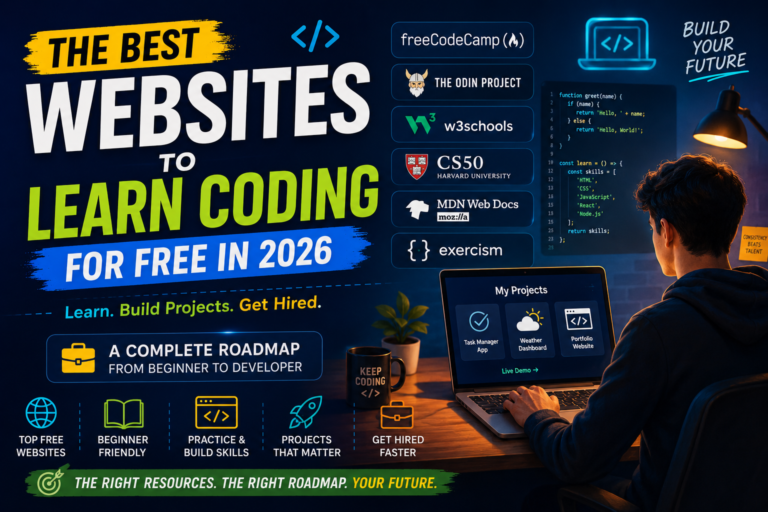
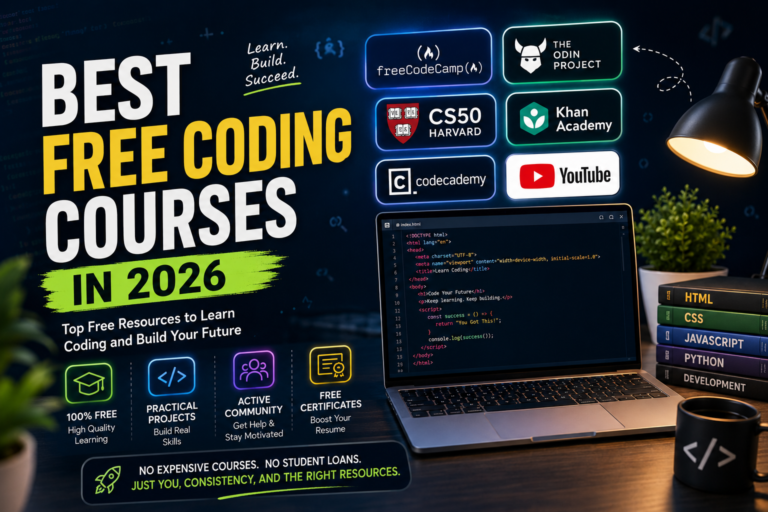
Best Websites to Learn Coding for Free in 2026 → https://byteguidevx.com/best-free-websites-to-learn-coding-in-2026/
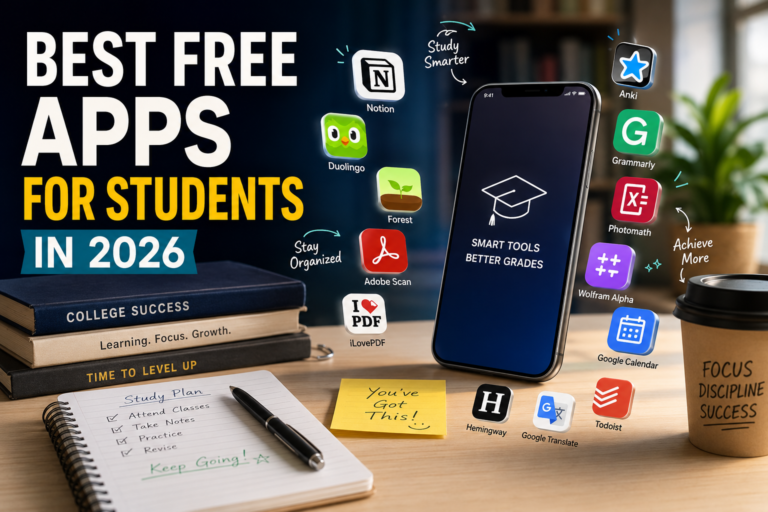
Best Free Apps for Students in 2026 → https://byteguidevx.com/best-free-apps-for-students-in-2026must-use/
What I like about it
The Odin Project does not hide the tools real developers use.
You learn to:
- Work with files and folders
- Use Git
- Push projects to GitHub
- Read documentation
- Debug code
- Set up a development environment
- Build without constant step-by-step instructions
That makes it more realistic than platforms where all coding happens inside a simplified browser window.
Its projects also give you something useful to show in a portfolio.
Where beginners struggle
The Odin Project requires a lot of reading.
Students who prefer video-only courses may find it slow at first. It also expects you to research, read external documentation, and solve problems more independently.
This can feel frustrating, but it closely resembles real development work.
Professional programmers do not remember every function and property. They regularly search documentation, read error messages, and compare possible solutions.
Best for
- Aspiring web developers
- Students who want portfolio projects
- Learners who prefer project-based study
- People interested in full-stack JavaScript
- Beginners willing to use the command line and Git
My recommendation
Finish the Foundations path before deciding whether the platform works for you.
Do not skip Git, the command line, or the smaller projects just because you want to reach React quickly. Those early tools make the later sections much easier.
4. MDN Web Docs — Best for Accurate Web Development Knowledge
MDN Web Docs is maintained by Mozilla and is one of the most reliable references for web technologies.
It contains documentation and structured learning material for HTML, CSS, JavaScript, browser APIs, accessibility, and other open-web technologies.
Why it is different
Many websites explain only how to copy a particular code snippet.
MDN usually explains:
- What a feature does
- How its syntax works
- When it should be used
- Browser compatibility
- Accessibility considerations
- Related standards
- Common examples
Its Learn Web Development section provides structured core modules for front-end development rather than functioning only as a dictionary of syntax.
What I like about it
MDN is the resource I would trust when two tutorials give conflicting answers.
For example, you may find an old blog recommending an outdated HTML element or JavaScript method. MDN usually makes it easier to check whether the feature is current, deprecated, experimental, or supported across browsers.
Learning to read MDN also prepares you for professional development, where official documentation becomes more important than beginner tutorials.
Where it falls short
The documentation can feel dense when you are completely new.
A beginner searching for one CSS property may open a page containing syntax, values, specifications, accessibility notes, and browser tables. That amount of information can be overwhelming.
Use MDN alongside a structured course rather than trying to read it from beginning to end.
Best for
- HTML, CSS, and JavaScript learners
- Front-end developers
- Students checking correct syntax
- People who want authoritative documentation
- Learners moving beyond beginner tutorials
My recommendation
Use freeCodeCamp or The Odin Project as your main curriculum and MDN as your reference.
Whenever you use a new HTML element, CSS property, or JavaScript method, read its MDN page. Over time, documentation will stop feeling intimidating.
5. Codecademy — Best for Interactive First Lessons
Codecademy is designed to help beginners start coding directly in the browser.
It offers learning material across coding, data, AI, cybersecurity, and related technology subjects. Some material is available through a free account, while more advanced courses, projects, and career features may require a paid plan.
What makes it useful
Codecademy’s interface is polished and easy to understand.
A typical lesson gives you:
- A short explanation
- An editor
- A task
- Immediate feedback
- Hints when you get stuck
This makes it especially useful for testing whether you enjoy a programming language before installing development tools or buying a complete course.
What I like about it
It removes setup frustration.
A student can start a Python, JavaScript, HTML, or SQL lesson within minutes. That instant start is useful when unfamiliar software installation would otherwise become a distraction.
Where it falls short
The free plan does not include everything.
You may begin a path and later discover that certain quizzes, projects, or advanced modules require a subscription.
The other weakness is similar to freeCodeCamp: success inside guided exercises does not always transfer to independent coding.
Best for
- Complete beginners
- Students exploring different languages
- Learners who like interactive lessons
- People who want immediate feedback
- Anyone who wants to test a subject before committing
My recommendation
Use Codecademy to learn the basic syntax of a language, then move to independent exercises and projects.
Do not judge your programming ability only by how many guided lessons you completed.
6. Exercism — Best for Improving Through Practice
Exercism is not primarily a video-course platform.
It is designed for practice, feedback, and building fluency in programming languages. The platform currently provides tracks for dozens of languages and describes its learning and mentoring system as free.
Languages available
Its tracks include popular choices such as:
- C
- C++
- Python
- Java
- JavaScript
- C#
- Go
- Rust
- Kotlin
- Swift
- Ruby
The Python track, for example, contains more than a hundred exercises organized around language concepts, along with automated analysis and mentoring features.
What I like about it
Exercism is useful when you understand a topic theoretically but cannot write it confidently.
For example, you may already know what loops, functions, arrays, and classes are. Exercism gives you focused problems that force you to apply them.
You can also compare different approaches after solving an exercise. This helps you notice cleaner, shorter, or more readable solutions.
Where it falls short
It is not always the best first resource for someone who has never seen programming before.
A complete beginner may need a course that explains variables, conditions, loops, functions, and debugging in a more guided sequence.
Exercism becomes more valuable after you have learned the basic syntax.
Best for
- Programming practice
- University students
- Learners improving a second language
- Students preparing for coding assessments
- Anyone who understands theory but lacks fluency
My recommendation
Learn a concept from your main course, then solve several Exercism problems without copying solutions.
That combination is much more effective than watching another tutorial on the same concept.
7. W3Schools — Best for Quick Examples and Revision
W3Schools is one of the most convenient websites when you need a simple explanation or quick syntax reminder.
It covers a wide range of subjects, including HTML, CSS, JavaScript, SQL, Python, Java, C, C++, C#, PHP, React, Git, and databases.
What makes it useful
Its pages are short and predictable.
Most topics include:
- A basic explanation
- Syntax
- A small example
- A “Try it Yourself” editor
- Exercises
- Quizzes
W3Schools also provides practice problems with instant feedback across several programming languages.
What I like about it
It is excellent when you already know what you are looking for.
For example:
- How to write a C++
forloop - How CSS Flexbox alignment works
- How to create a JavaScript array
- How SQL joins are written
- How an HTML form is structured
You can find the syntax quickly without watching an entire lecture.
Where it falls short
W3Schools is stronger as a reference and practice tool than as a complete career roadmap.
Its examples are often intentionally small. They show how an individual feature works but may not teach you how to design a full application, organize a large codebase, use version control, test software, or deploy a project.
Best for
- Quick revision
- Syntax checking
- Beginner examples
- Web-development basics
- Students preparing for quizzes or labs
My recommendation
Use W3Schools when you need a fast answer, but do not make it your only learning source.
Pair it with projects, university assignments, official documentation, or a structured curriculum.
8. Khan Academy — Best for Visual and Younger Beginners
Khan Academy provides free educational material across many subjects, including computer programming.
Its programming lessons are especially approachable for learners who enjoy visual results.
Instead of beginning with abstract console programs, students can work with:
- Drawing
- Animation
- Interactive graphics
- Basic web pages
- Visual programming concepts
What I like about it
Seeing code produce an immediate visual result makes programming feel less intimidating.
Changing a number and watching a shape move or change size provides instant feedback. This can be more motivating than writing a console program that only prints text.
Where it falls short
It is not the most complete route for becoming a professional software developer.
You will eventually need additional resources for:
- Git and GitHub
- Command-line tools
- Software architecture
- Frameworks
- Databases
- Deployment
- Larger projects
Best for
- School students
- Visual learners
- Absolute beginners
- Younger learners
- Anyone intimidated by traditional programming courses
My recommendation
Use Khan Academy to build confidence and understand basic concepts, then transition to a more complete path such as freeCodeCamp, CS50, or The Odin Project.
9. Microsoft Learn — Best for Microsoft Technologies
Microsoft Learn provides official learning paths, documentation, exercises, and technical guidance for Microsoft products and development tools.
It is especially useful when learning:
- C#
- .NET
- Azure
- Power Platform
- Microsoft 365 development
- GitHub-related Microsoft tools
- Data and cloud technologies
What I like about it
The material comes directly from Microsoft.
That matters when you are learning a platform that changes frequently. Random tutorials may contain old screenshots, outdated commands, or instructions for earlier software versions.
Microsoft Learn is also organized into modules and learning paths, which makes official documentation easier to follow.
Where it falls short
The amount of content can be overwhelming.
A beginner may search for C# and immediately see dozens of paths involving .NET, cloud development, desktop applications, APIs, and enterprise tools.
Start with a beginner learning path rather than jumping between unrelated modules.
Best for
- C# and .NET learners
- Azure students
- Microsoft certification preparation
- Developers using Microsoft tools
- Students interested in cloud computing
Which Website Should You Choose?
Choose based on your actual goal.
To learn programming fundamentals
Start with:
- CS50
- freeCodeCamp
- Exercism for additional practice
To become a web developer
Use:
- freeCodeCamp
- The Odin Project
- MDN Web Docs
- W3Schools for quick reference
To learn C++ for university
Use:
- Your university course material
- W3Schools for syntax revision
- Exercism for practice
- CS50 for broader computer-science thinking
CS50 begins with C rather than C++, but the memory, algorithm, and problem-solving concepts remain useful.
To learn Python
Use:
- Codecademy or freeCodeCamp for basics
- Exercism for practice
- CS50’s Python material for problem-solving
- Personal automation or data projects
To learn C# and Microsoft development
Use:
- Microsoft Learn
- Codecademy for basic syntax where available
- Exercism for exercises
- A personal .NET project
To learn without installing software
Choose:
- freeCodeCamp
- Codecademy
- W3Schools
- Khan Academy
The Mistakes That Slow Down Most Beginners
Using too many websites at once
You do not need nine active courses.
Choose:
- One main learning platform
- One reference website
- One practice platform
For example:
- Main course: CS50
- Reference: W3Schools or MDN
- Practice: Exercism
Watching without coding
A six-hour tutorial is not six hours of programming practice.
Pause frequently. Rewrite the example. Change it. Break it. Fix it.
Copying complete projects
Following a project tutorial can teach useful techniques, but copying every line does not prove that you can build independently.
After finishing, close the tutorial and rebuild the project with different features.
Switching languages too quickly
Learning Python for two weeks, then JavaScript, C++, Java, and C# usually creates confusion.
Stay with one language long enough to understand:
- Variables
- Conditions
- Loops
- Functions
- Arrays or lists
- Input and output
- Error handling
- Basic object-oriented programming
- Small projects
Collecting certificates instead of skills
Certificates can show that you completed a course, but your projects and problem-solving ability usually reveal more.
A small working application that you can explain confidently is more valuable than several certificates from courses you barely remember.
A Simple 12-Week Learning Plan
Weeks 1–4: Learn the basics
Choose freeCodeCamp, Codecademy, CS50, or another structured beginner course.
Focus on:
- Variables
- Data types
- Conditions
- Loops
- Functions
- Arrays or lists
- Debugging
Weeks 5–8: Practice independently
Use Exercism or W3Schools practice problems.
Solve small tasks such as:
- Number guessing game
- Unit converter
- Student grade calculator
- To-do list
- Password checker
- Simple menu program
Weeks 9–12: Build one project
Choose something small enough to finish.
Examples:
- Personal portfolio website
- Expense tracker
- Quiz application
- Study planner
- Notes application
- Weather interface using an API
- Library-management program
Upload the project to GitHub and write a README explaining:
- What the project does
- Which technologies you used
- What problems you faced
- What you learned
- What you would improve next
Final Thoughts
The best programming website is not necessarily the one with the most courses, the longest videos, or the most impressive certificate.
It is the one that helps you write code consistently.
For most beginners, freeCodeCamp is the easiest overall starting point. CS50 is better for deeper computer-science understanding. The Odin Project is excellent for project-based web development, while MDN and W3Schools are useful references. Codecademy provides a smooth interactive introduction, and Exercism becomes valuable when you need serious practice.
Choose one main platform and stay with it long enough to complete something.
Programming starts making sense when you stop moving between tutorials and begin solving your own problems.